Expense tracking built for short-term rental owners

Track Airbnb, Vrbo, and vacation rental expenses by property so you can understand your profit, stay organized, and make tax season easier.

14-day free trial
No credit card required
Your properties stay private

Everything a rental owner actually needs

Simple enough to keep up with every week. Detailed enough for your accountant.

Track expenses by property

Assign every cleaning, repair, and utility bill to the rental it belongs to, so you always know which property is spending what.

Track income by property

Log Airbnb, Vrbo, and direct booking payouts per rental, including cleaning fees, taxes collected, and platform fees.

STR-specific tax categories

Over 50 built-in categories made for hosts: STR insurance, permit fees, hot tub service, linens, valet trash, and more.

Monthly and yearly totals

See income, expenses, and net profit by month and year to date. No formulas, no pivot tables.

Understand property profitability

Compare rentals side by side and find out which one is really carrying the portfolio.

Cleaner records for tax season

Attach receipts, keep categories consistent, and export a property-level profit & loss when your CPA asks.

The spreadsheet stops working before the accounting software starts

Almost every owner begins in a spreadsheet. It holds up for one rental. The usual next step is full accounting software, which is built for businesses with payroll, invoices, and a bookkeeper — and most short-term rental owners have none of those. They have properties, payouts, and receipts.

Compare it honestly: vs. a spreadsheet · vs. QuickBooks · vs. Stessa

New to this? Read the complete guide to short-term rental bookkeeping.

What owners actually deal with

  • The spreadsheet is fine until the second rental, and then every new column is a decision you have to remember next month.
  • Receipts get scattered across email, glove boxes, and camera rolls.
  • Airbnb and Vrbo payouts are hard to match against the expenses they paid for.
  • Every property has different costs: one has a pool, one has an HOA, one has a hot tub.
  • Tax season becomes stressful without clean, category-by-category records.
  • QuickBooks can feel like too much for someone with one to five rentals.

What STR Expense Tracker does instead

STR Expense Tracker keeps your rental income, property expenses, and owner records organized in one simple dashboard.

  • One place for every property, every expense, and every payout.
  • Categories written for hosts, not for general contractors or retail shops.
  • Profit per property, calculated for you, not built by hand in a spreadsheet.
  • Property management fees handled as either a flat fee or a percentage of booking income.
  • A clean profit & loss you can hand straight to your tax preparer.

This is the actual product

Not a mockup. These are screens from the running app, with a three-rental portfolio in it.

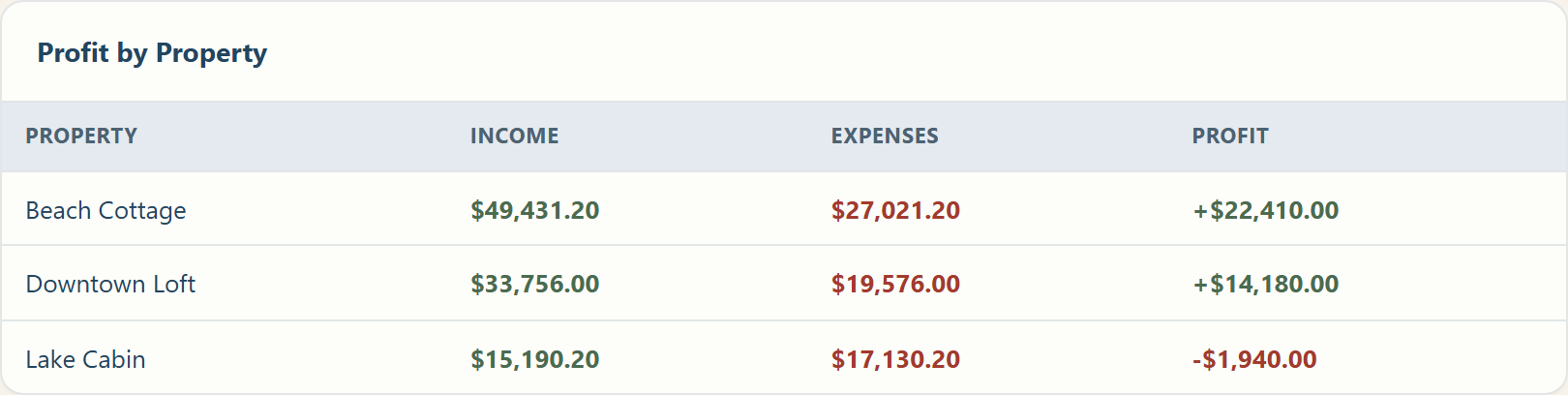
Profit by Property table showing three rentals: Beach Cottage $49,431.20 income and $27,021.20 expenses for $22,410.00 profit, Downtown Loft $33,756.00 income and $19,576.00 expenses for $14,180.00 profit, and Lake Cabin $15,190.20 income against $17,130.20 expenses for a $1,940.00 loss.
Profit per property, on the dashboard. The rental that is losing money is visible without doing any arithmetic.
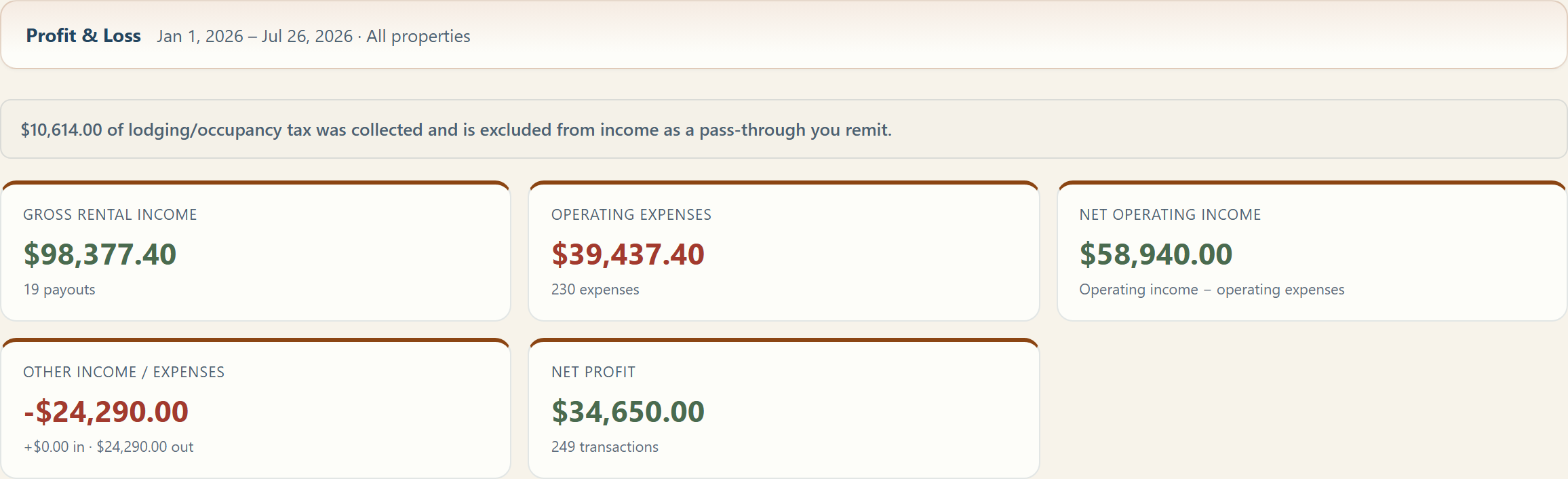
Profit and loss summary for January 1 through July 26, 2026: gross rental income $98,377.40, operating expenses $39,437.40, net operating income $58,940.00, other income and expenses minus $24,290.00, and net profit $34,650.00 across 249 transactions. A note states that $10,614.00 of lodging tax was collected and is excluded from income as a pass-through.
The profit & loss your tax preparer asks for. Lodging tax you collect and remit is tracked but never counted as income.

Built for short-term rentals

Not adapted from business accounting software. Designed around how rental owners actually work.

Per-property from day one

Properties are the backbone, not an afterthought. Every expense and payout can be tied to a specific rental.

Payout fields that match your statement

Gross booking income, cleaning fee collected, taxes collected, platform fees, and net payout: the same lines the platforms show you.

Management fees, either way

Record a flat monthly fee or a percentage of booking income, and tie a percentage fee straight to the payout it came from.

Occupancy tax kept separate

Lodging tax you collect and remit is tracked but never counted as your income, so your profit number stays honest.

Receipts attached to the expense

Snap and attach a receipt when you log the cost. It stays with the record, tied to the property.

Private to your account

Every owner's data is fully isolated. No other user can see, edit, or export your properties or numbers.

Who it's for

From a single guest suite to a small portfolio of vacation rentals.

Airbnb hosts Vrbo owners Vacation rental owners Small portfolio STR operators Property investors

What it costs

Both plans include unlimited properties. The only difference is how many people can log in.

Portfolio

You share the books with a co-host, partner, or bookkeeper.

$72/month
Billed monthly. Cancel any time.
  • Everything in Host
  • Multiple logins, each with its own role
  • Review queue for expenses your team enters
  • Extra users $24/month each
Start free trial

Why this isn't free. There are free rental trackers, and they are free because they are attached to a bank, a lender, or an insurance desk — the tracking exists to route you toward those products. We sell software and nothing else, so the only thing we need from you is that the software stays worth keeping. Your records are yours. We do not sell them, and we do not advertise against them.

For scale: a single category of deductible expenses left untracked across three rentals can cost more at tax time than a year of either plan. Every plan starts with a 14-day free trial and takes no card up front, so you can find out whether that is true for you before you pay anything.

Set up in about five minutes

No migration, no chart of accounts, no onboarding call.

1

Add your rentals

Name each property, add the address, and note which platform it lists on.

2

Log an expense

Pick the property, choose an STR category, and attach the receipt.

3

Record a payout

Enter an Airbnb or Vrbo payout with the fee breakdown from your statement.

4

Watch the profit

Your dashboard shows monthly totals, year to date, and profit for every property.

Questions people ask before signing up

Answered plainly, including where the answer is no.

Do you connect to my bank account?

No. There is no bank login and no third-party banking connection, so there is nothing to revoke and no account credentials for us to hold. You can upload a bank or card statement as a CSV and we sort the transactions into short-term rental categories, which you can re-categorize afterwards.

Can I import my Airbnb or Vrbo payouts?

Yes. Download your transaction history from Airbnb or Vrbo and upload the CSV. Columns are matched for you, each listing in the file is assigned to one of your rentals, and you review the whole import before anything saves.

Payouts already in your records are skipped rather than duplicated, so re-uploading a file that overlaps last month is safe. Bank and card statements import as expenses the same way.

What happens to my records if I stop paying?

Nothing is deleted. Your properties, expenses, payouts, and receipts are kept exactly as you left them, and adding a payment method restores access to all of it.

You can also download everything as a spreadsheet at any time, including after an account lapses. The export stays available even while the dashboard is paused, so your records never depend on your subscription.

Is this tax advice?

No. This is a record-keeping tool, not an accounting or tax service, and nothing in it is advice. It organizes what you earned and spent per rental so your accountant or tax preparer has clean records to work from. Decisions about what is deductible are theirs and yours.

How many rentals can I track?

As many as you own, on either plan. The plans differ only in how many people can log in: Host is a single owner login, Portfolio adds a co-host, partner, or bookkeeper with their own role and permissions.

Do I need a credit card to try it?

No. The 14-day trial takes no card. Nothing is charged unless you add a payment method yourself, and we will email you before the trial ends rather than letting it lapse quietly.
Know what each rental really earns

Create your account and have your first property and expense logged in under five minutes.